
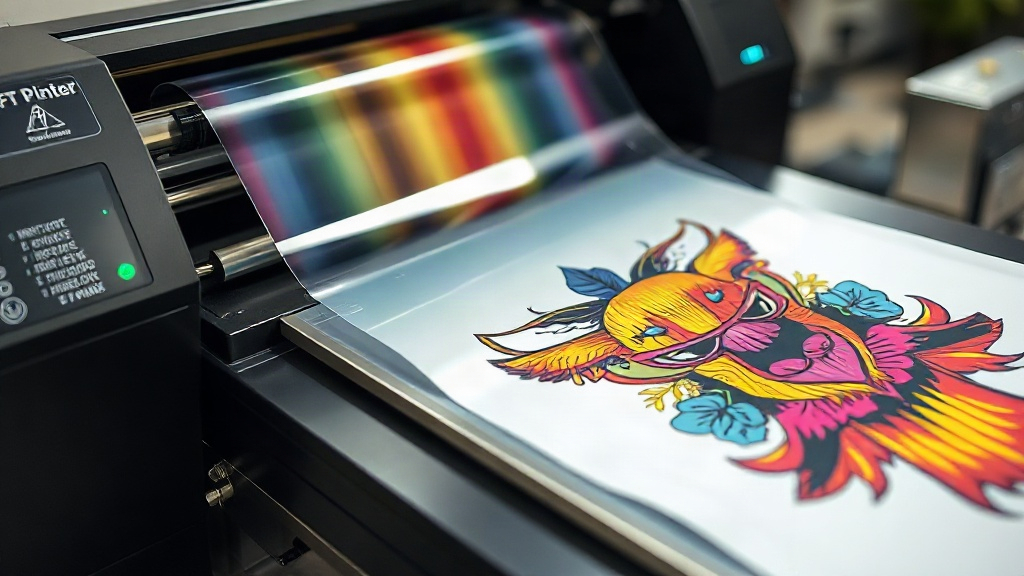
If you've been exploring custom apparel decoration, you've likely encountered DTF printing. Short for Direct-to-Film, this method has exploded in popularity among crafters and commercial printers alike. Unlike DTG or screen printing, DTF offers a versatile solution that works on almost any fabric, from cotton to polyester blends, and even on dark colors without the need for multiple screens or pre-treatment. In this guide, we'll dive deep into what DTF printing is, how it works, and how you can get started with it today.
What is DTF Printing?
DTF printing is a digital printing technology where your design is printed onto a special film, coated with a hot-melt adhesive powder, and then transferred onto fabric using a heat press. The process involves a few key steps: printing, powdering, curing, and pressing. The result is a soft, stretchable, and durable print that can withstand repeated washing. Because the design is printed on film first, you can prepare transfers in advance and apply them on demand, making it ideal for small businesses or on-demand production.
Why Choose DTF Over Other Printing Methods?
There are several reasons why DTF has become a go-to for many. First, it requires no cutting or weeding like vinyl, and no minimum order quantities like screen printing. It also eliminates the need for pre-treating shirts, which is a common step in DTG printing. Additionally, DTF transfers can be applied to a wide range of materials, including cotton, polyester, nylon, leather, and even some plastics. The prints are highly detailed, with vibrant colors that pop on both light and dark garments.
Materials You'll Need for DTF Printing
To get started with DTF printing, you'll need a few essential supplies:
- DTF printer (or a modified inkjet printer with DTF ink)
- DTF film (usually PET film)
- DTF ink (CMYK plus white)
- Hot-melt adhesive powder
- Heat press
- Heat-resistant tape (optional)
- Protective sheet or parchment paper
Step-by-Step DTF Printing Process
1. Design Preparation
Create your design in your favorite graphic software. Remember to mirror the image horizontally before printing, as the transfer will be flipped when pressed. Ensure your design has transparent background and is sized appropriately for your garment.
2. Printing
Load your DTF film into the printer with the coated side facing the print head. Print your design using the appropriate settings for DTF ink. The printer will lay down a white base layer first (if your design has white areas) and then the colors on top. This white layer is crucial for opacity on dark fabrics.
3. Powdering
While the ink is still wet, sprinkle the hot-melt adhesive powder evenly over the printed area. Gently shake off excess powder. You want a uniform coating; too much powder can lead to a rough feel, too little can cause poor adhesion.
4. Curing
Place the film in a curing oven or under a heat source at around 160°C (320°F) for 2-3 minutes, or until the powder melts and becomes glossy. Alternatively, you can use a heat press with low pressure for about 2-3 minutes. Curing is essential to activate the adhesive.
5. Pressing
Set your heat press to 160°C (320°F) with medium pressure. Place the cured transfer on your garment, cover with a protective sheet, and press for 10-15 seconds. Let it cool completely before peeling off the film. For a matte finish, peel while hot; for glossy, peel after cooling.
Tips for Perfect DTF Transfers
- Always test your settings on a scrap piece of fabric before pressing onto the final garment.
- Use a lint roller to remove any fibers from the garment before pressing.
- Store unused transfers in a cool, dry place to prevent the powder from absorbing moisture.
- When pressing, ensure the transfer is flat and wrinkle-free to avoid uneven adhesion.
- For stretchy fabrics, slightly stretch the garment before pressing to allow the transfer to move with the fabric.
Common DTF Printing Mistakes to Avoid
Even experienced printers can run into issues. Here are some common pitfalls and how to avoid them:
- Insufficient powder: If you don't apply enough adhesive powder, the transfer may peel off after washing. Make sure the printed area is fully covered.
- Over-curing: Curing too long or at too high a temperature can cause the film to warp or the adhesive to burn, leading to poor adhesion.
- Wrong pressure: Too much pressure can cause the ink to spread, resulting in a blurry image; too little pressure can prevent proper bonding.
- Peeling too early: If you peel the film while it's still hot, the design may stretch or tear. Wait for it to cool completely for best results.
Frequently Asked Questions about DTF Printing
What fabrics can I use with DTF transfers?
DTF transfers work on a wide range of fabrics, including cotton, polyester, cotton-poly blends, nylon, leather, and even some synthetic materials. They are particularly popular for t-shirts, hoodies, tote bags, and caps.
How durable are DTF prints?
When applied correctly, DTF prints are highly durable and can withstand 50+ washes without significant fading or cracking. Proper curing and pressing are key to longevity.
Can I use a regular inkjet printer for DTF?
No, standard inkjet printers are not suitable for DTF printing because they lack the white ink channel and the ability to handle DTF ink, which has different viscosity and pigment properties. You need a dedicated DTF printer or a converted printer designed for DTF ink.
Do I need to pre-treat fabric for DTF?
No pre-treatment is required for DTF transfers. This is one of the advantages over DTG printing, which often requires pre-treating the garment for best results.
How do I store DTF transfers?
Store unused DTF transfers in a cool, dry place, away from direct sunlight and moisture. Ideally, keep them in a sealed bag or container to prevent the adhesive powder from clumping.
With its versatility and ease of use, DTF printing is a game-changer for anyone in the custom apparel industry. Whether you're a hobbyist or a business owner, mastering DTF can open up a world of possibilities for your designs.